Test every error state
Return a 500, 401 or 429, an empty list or a broken payload, and see how your UI copes. Failed saves too: POST, PUT and DELETE.
 Placebo API
Override, block or redirect requests with simple URL rules, for any HTTP method. Test error states and build before the backend is ready. Your rules never leave your device.
Free to use. 6 rules with a free account, no credit card.
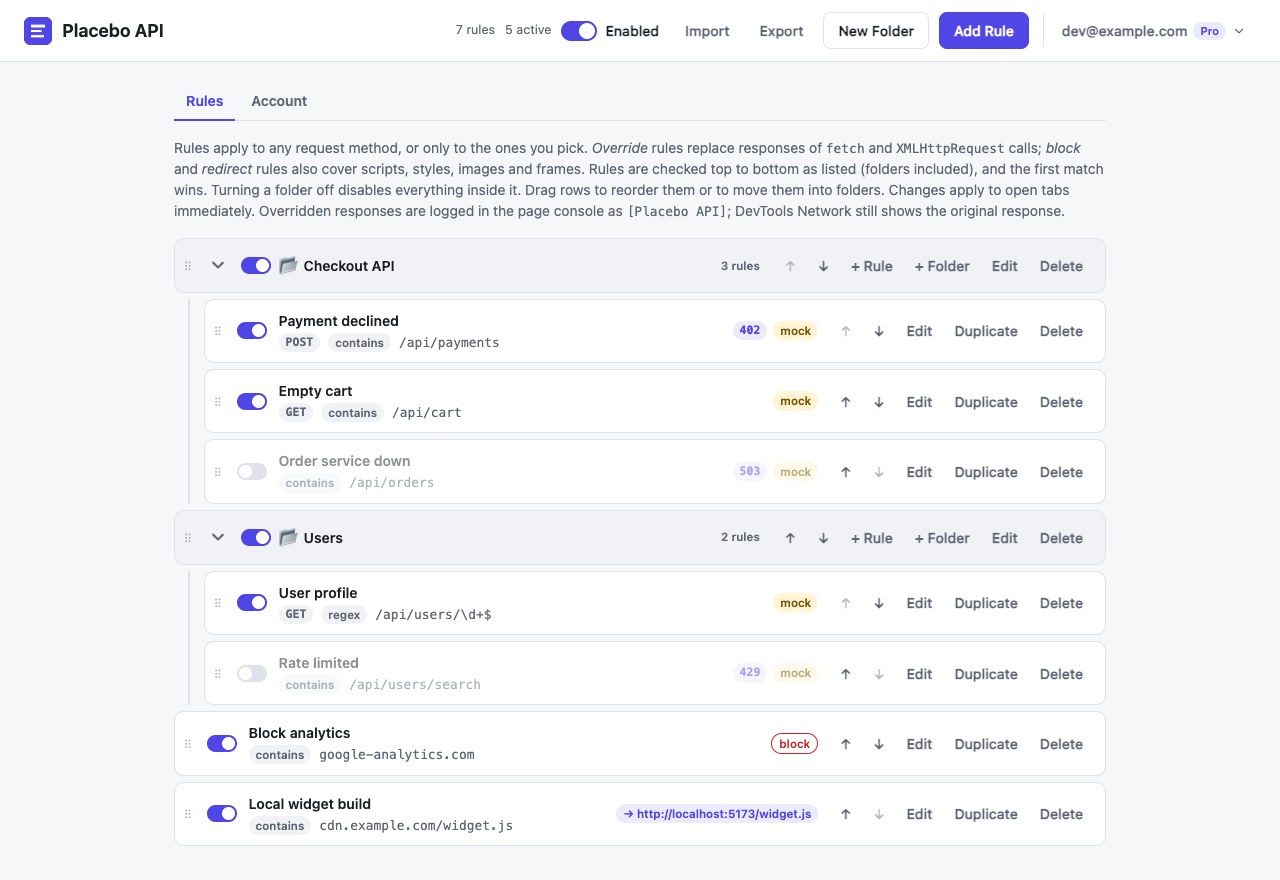
Return a 500, 401 or 429, an empty list or a broken payload, and see how your UI copes. Failed saves too: POST, PUT and DELETE.
Mock the endpoint you need with the JSON you expect and keep working while the backend catches up.
Paste the payload from a bug report and replay it on your local or staging app, as often as you like.
Point a production script at your local build, or block analytics and third-party widgets while you develop.
No proxy to install, no certificates, no API client. Just rules that run inside Chrome.
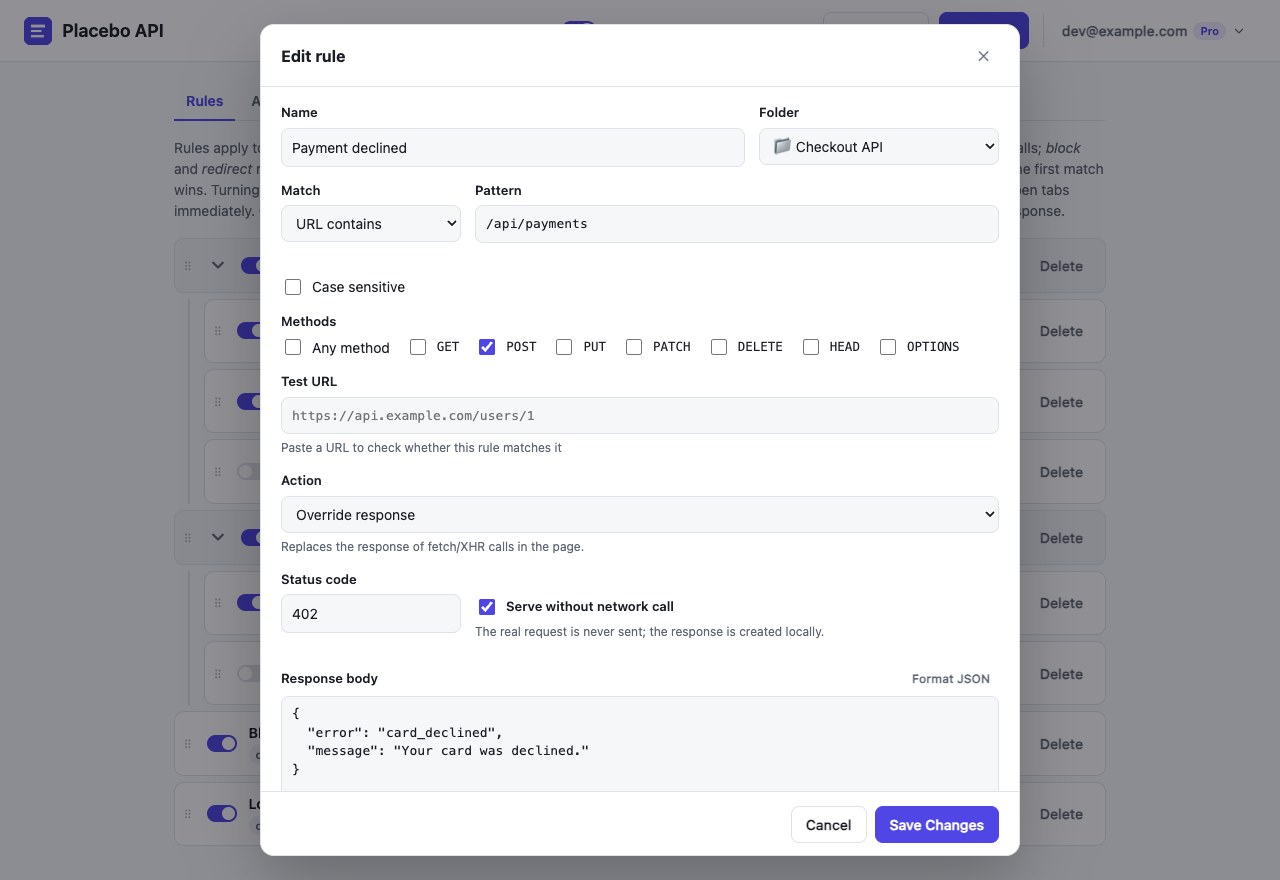
Replace the body and status code of fetch and XHR calls, for GET, POST, PUT, PATCH, DELETE and more.
Serve the response without sending the request at all, or let the real request go and only change what comes back.
Block requests or redirect them to another URL. Works for scripts, CSS, images, frames and workers too.
Group rules into folders, switch a whole folder on or off, and drag to reorder. The first matching rule wins.
Match URLs by a simple substring or a regular expression, optionally only for the methods you choose.
Switching tools? Import your existing response rules in one click: groups become folders and priority is kept.
Rules and response bodies live in your browser's extension storage. The server only knows your email address and your plan, so it can tell the extension which limits apply.
Read the Privacy Policystorage keeps your rules and settings in your browser.declarativeNetRequest blocks and redirects requests inside Chrome.alarms refreshes your plan in the background, about once a day.Start free. Upgrade when you need more rules running at once.
The first 500 customers pay 40% less than the regular price, and keep that price for as long as they stay subscribed.
For trying it out and the odd mock.
Free needs a free account (email code, no password). Without one: 3 rules, 1 active at once.
For everyday frontend work.
No limits, for heavy mocking and QA.
Prices in US dollars (euro prices use the same numbers) and include VAT or sales tax where it applies. Paid plans open shortly after launch. See the Refund Policy.
Your rules are stored only in your browser and are never sent to our servers. Your account holds just your email address and your plan. The extension doesn't read or collect your browsing history, and it contains no ads or trackers. The Privacy Policy lists everything.
Override rules change fetch and XMLHttpRequest calls made by the page and its frames. Block and redirect rules work in Chrome's network stack, so they also cover scripts, CSS, images, frames and workers. Page navigations aren't changed.
Yes. Rules apply to any http or https page, including localhost, staging servers and production sites.
The extension changes the response the page's code receives, after Chrome has recorded the request. Every override is logged to the page console as [Placebo API] so you can check it.
You don't, to try it: without an account you get 3 rules with 1 active. A free account (an email and a 6-digit code, no password) raises that to 6 rules with 3 active and is how paid plans are unlocked. Your rules still stay on your device.
Chrome 111 or newer, and Chromium browsers that install from the Chrome Web Store, such as Edge, Brave and Arc. Firefox isn't supported yet.
Yes, any time. You keep the plan until the end of the period you paid for, and your rules are never deleted when a plan ends. See the Refund Policy for refunds.
Something else? Write to support@placeboapi.com.
Install Placebo API and mock your first response in under a minute.
Coming Soon to Chrome